Docker — Containers Made Practical


Brooks Computing Systems - Jacksonville
Visit Brooks Computing Systems
Mainframes, Desktops & Web Sites
Docker is a containerization platform that packages an app and its dependencies into a portable unit called an image. Run that image anywhere as a container and it behaves the same across environments.
Docker architecture (client/daemon/images/containers/registry)
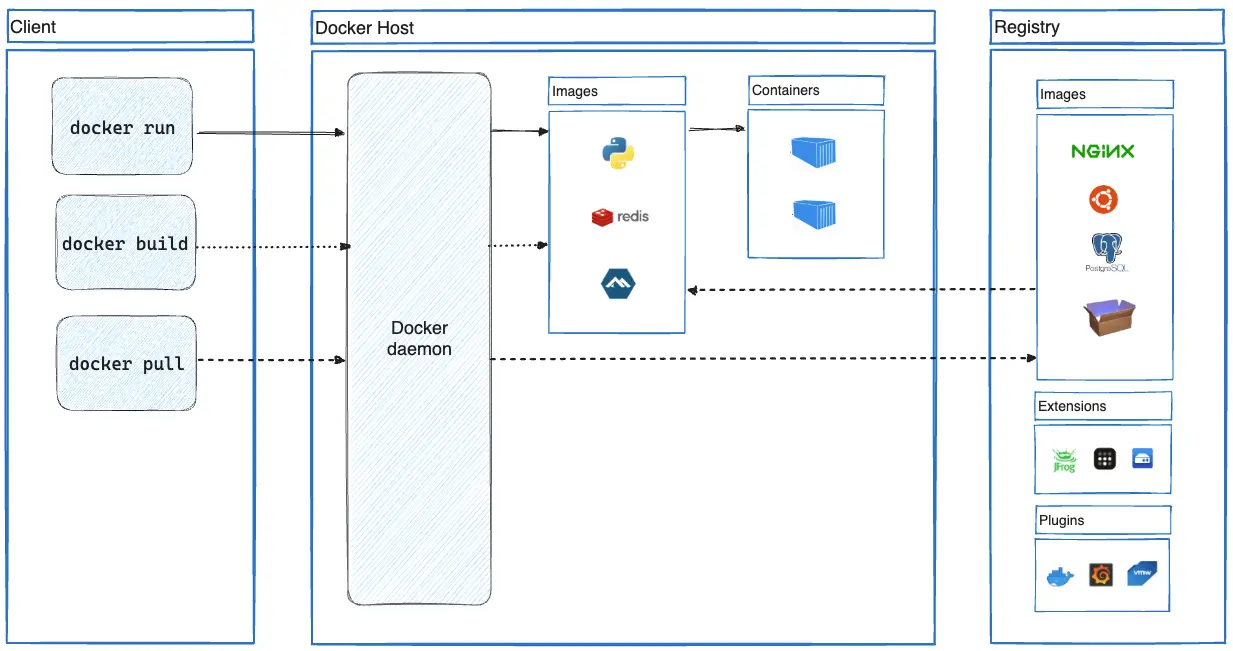
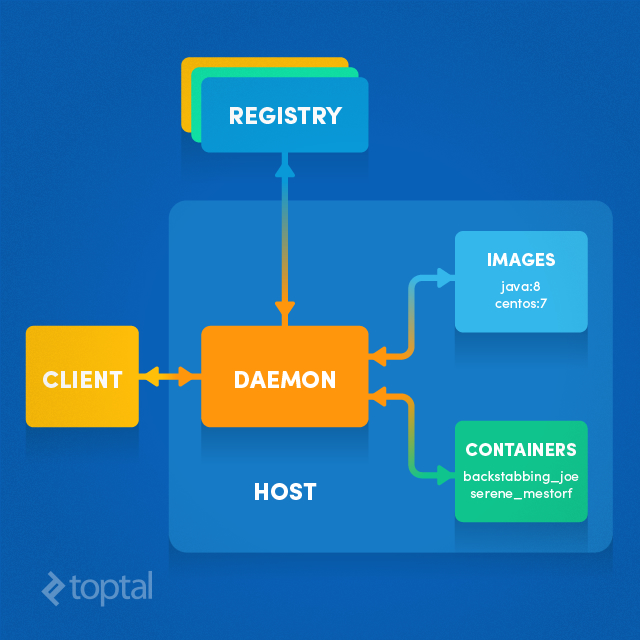
Registry ↔ Daemon ↔ Images ↔ Containers
- Image: read-only template (OS layer + runtime + deps + app).
- Container: running instance of an image (isolated process on the host kernel).
- Dockerfile: recipe to build an image.
- Registry: image store (Docker Hub or private).
- Volumes/Networks: persistence + connectivity.
Docker architecture view (another perspective)
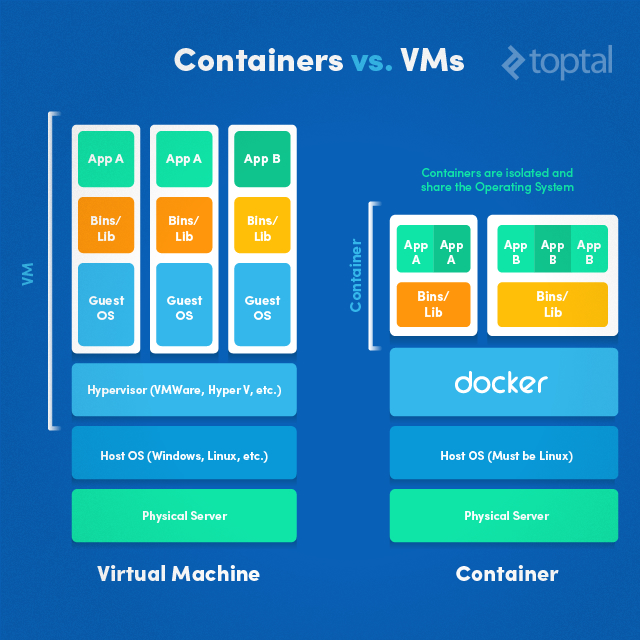
Containers share the host OS kernel and isolate processes; VMs virtualize hardware and include a full guest OS per VM. Containers are typically smaller and start faster.
Containers vs VMs diagram
Build / Run
docker build -t myapp .
docker run --rm -p 8080:8080 myapp
Inspect / Logs / Exec
docker ps
docker logs <container>
docker exec -it <container> sh
Cleanup
docker system prune -f
docker image prune -f
docker volume prune -fUse Docker Compose to run an app stack (web + db + cache, etc.) from a single YAML file.
Example compose.yaml
services:
  web:
    build: .
    ports:
      - "8080:8080"
  db:
    image: mariadb:11
    environment:
      MYSQL_ROOT_PASSWORD: secret
    volumes:
      - dbdata:/var/lib/mysql

volumes:
  dbdata:
Run the stack
docker compose up -d
docker compose logs -f
docker compose down